

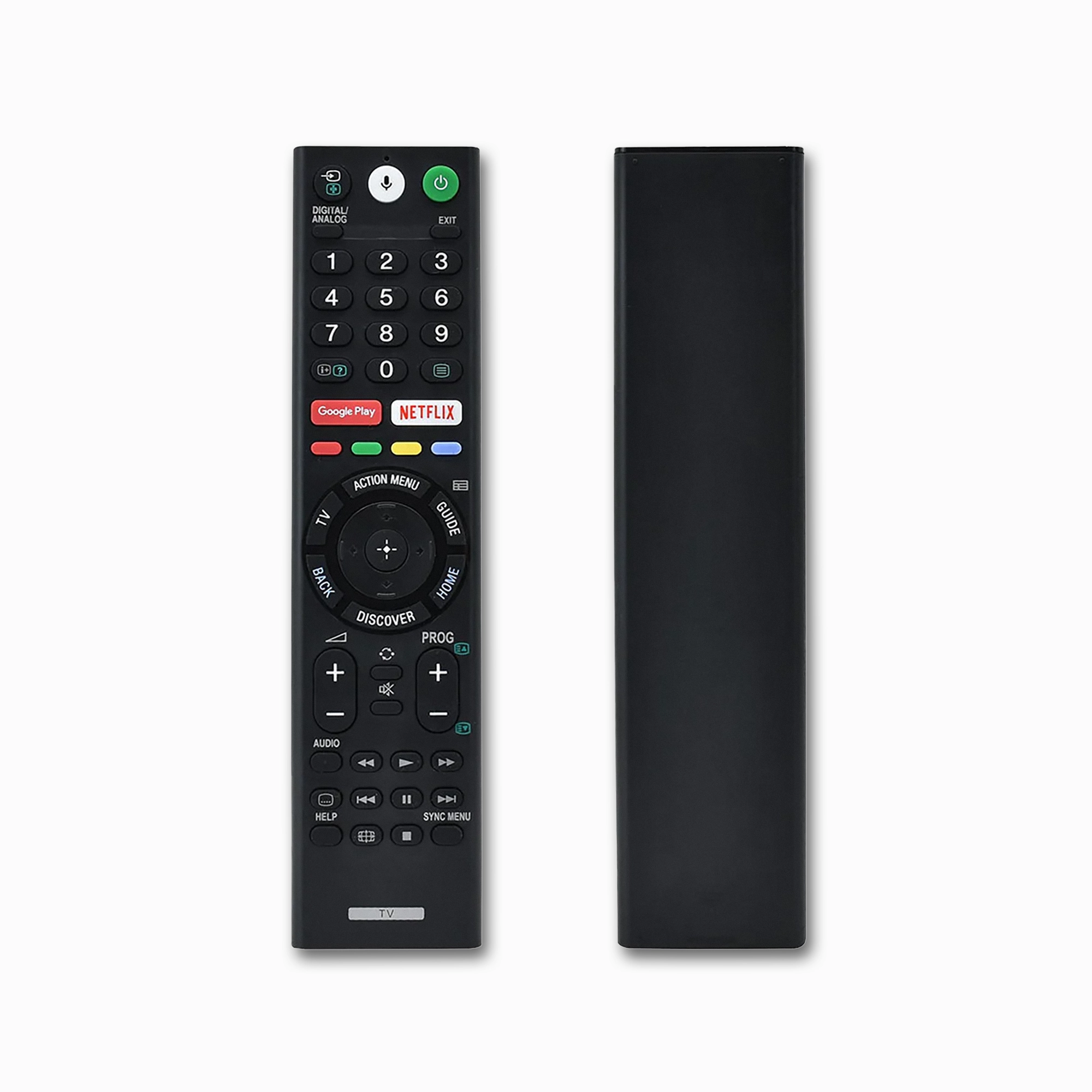

Sony RMF-TX200P Voice Remote Replacement
$44.99 Original price was: $44.99.$29.99Current price is: $29.99.
🎙️ Function: Google Assistant Voice Control
📺 Type: Bluetooth Voice Remote for Android TV
🛠️ Fit: Sony BRAVIA X, W, Z, A Series (2015-2018)
🔋 Power: 2x AAA Batteries
36 in stock
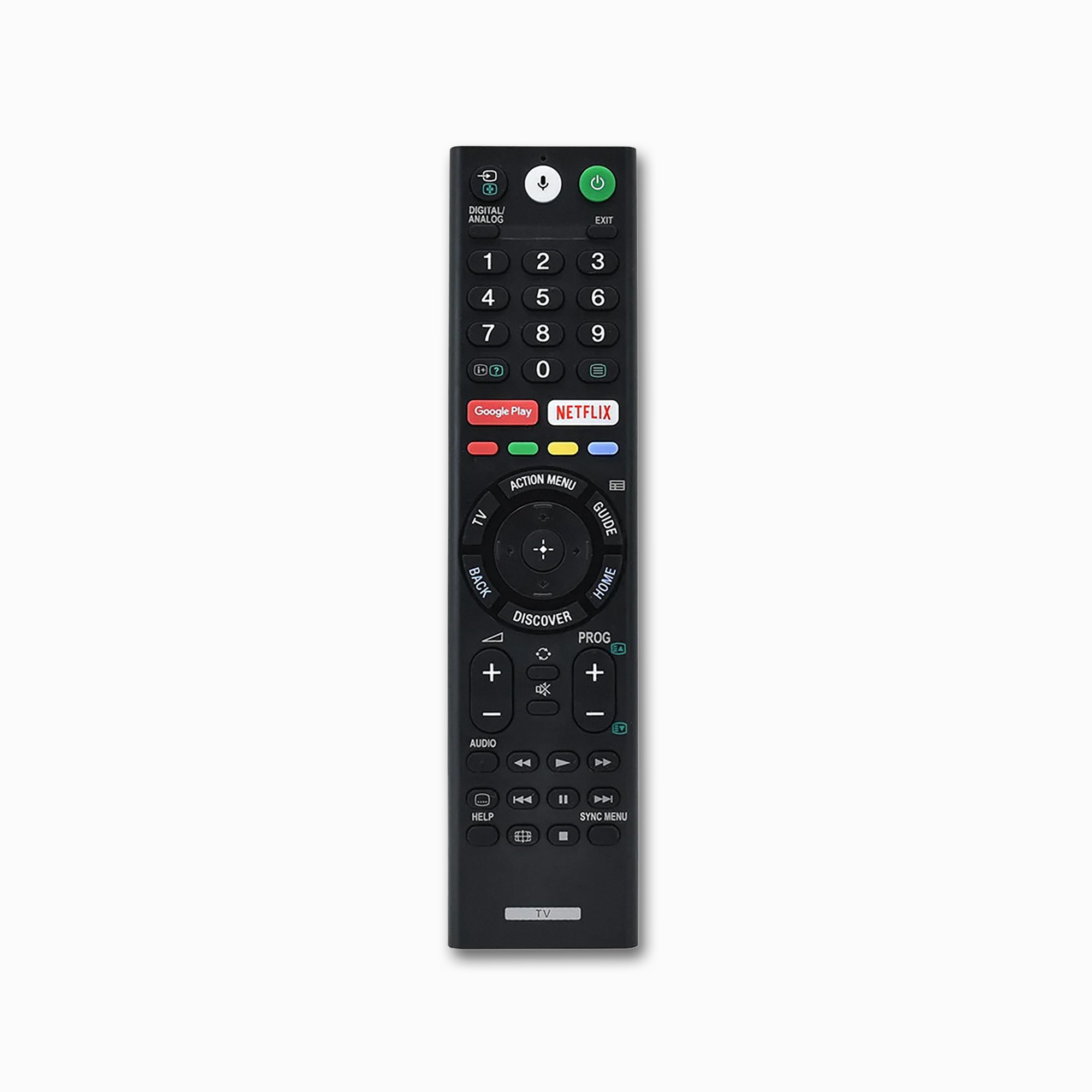
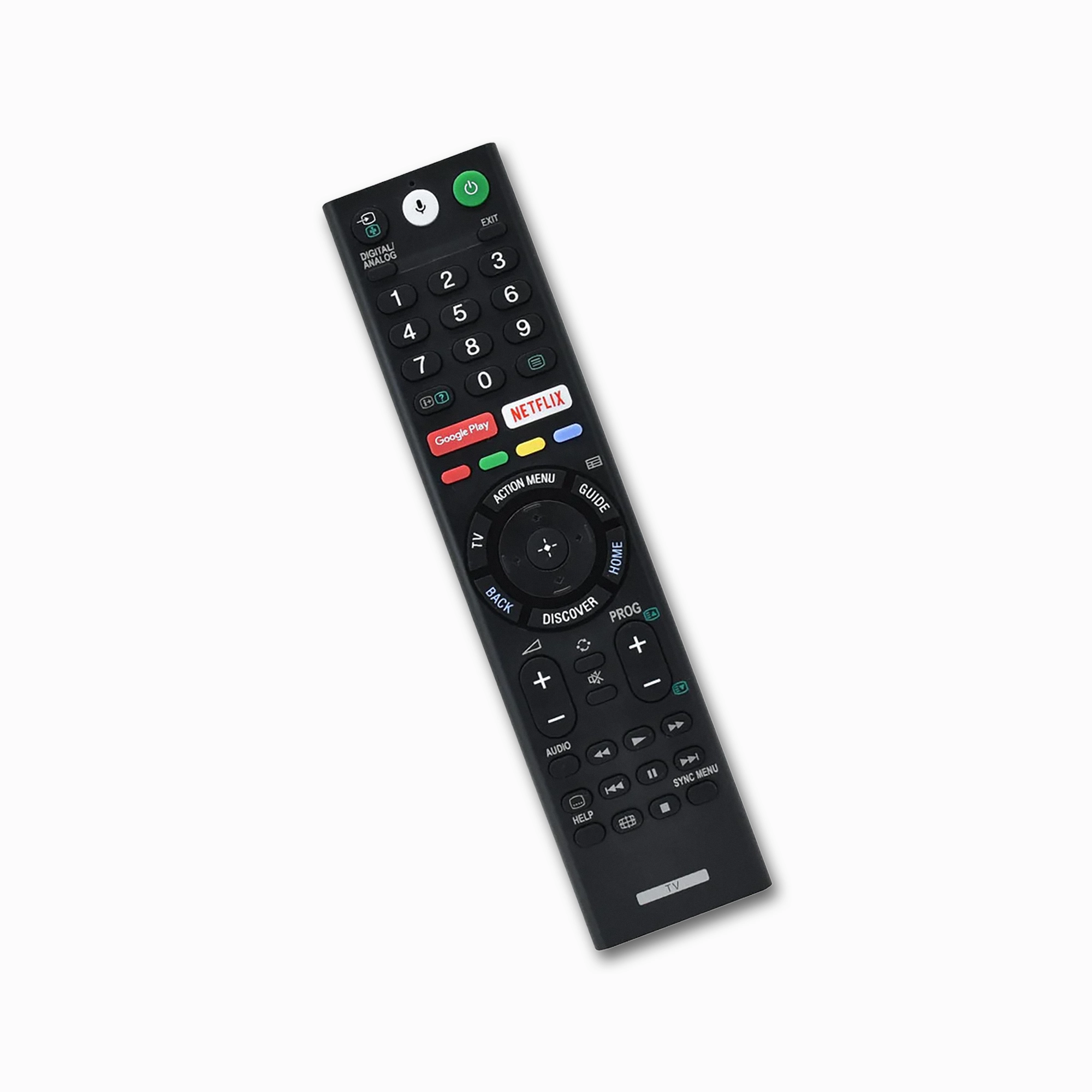
Enjoy the full capabilities of your Android TV with the Sony RMF-TX200P Voice Replacement Remote Control. This remote is designed to integrate smoothly into the Sony BRAVIA ecosystem. It has a Voice Search button that allows you to use Google Assistant to search for movies, open apps, and manage smart home devices. Thanks to the comfortable grip and high-button tactility—featuring buttons for Netflix and Google Play—navigation is made simple. Accessing your content in 4K and HDR is effortless. To use the advanced voice features your original Sony remote, simply pair the remote via Bluetooth.
⚡ Key Remote Features
🎙️ Voice Control: Built-in Microphone
🔴 Hotkeys: Netflix & Google Play Buttons
🔗 Connectivity: Bluetooth & IR Hybrid
🛡️ Warranty: 1-Year Australian Warranty
🔴 Hotkeys: Netflix & Google Play Buttons
🔗 Connectivity: Bluetooth & IR Hybrid
🛡️ Warranty: 1-Year Australian Warranty
Technical Specifications
| Model Number | RMF-TX200P / RMF-TX300P |
| Connection Type | Bluetooth (for Voice) + IR |
| Voice Support | Google Assistant / Voice Search |
| Battery Type | 2 x AAA Batteries |
| Brand | Sony Compatible |
Why Choose This Replacement?
- Intelligent Voice Recognition: High-quality built-in microphone ensures accurate speech-to-text for searching YouTube, Disney+, and Stan without typing.
- Instant App Access: Direct-launch buttons for Netflix and Google Play Movie/TV store for one-click entertainment.
- Premium Soft-Touch Buttons: Dust-resistant coating with responsive feedback, identical to the original Sony RMF-TX series design.
- Dual-Mode Functionality: Works as a standard Infrared (IR) remote immediately; Voice functions activate once paired via the TV’s Bluetooth settings.
Compatibility Guide
This replacement is compatible with Sony BRAVIA Android TV models produced between 2015 and 2018. It is a direct functional replacement for the Australian and New Zealand RMF-TX200P series.
Compatible Sony Remote Part Numbers
Sony RMF-TX200P
Sony RMF-TX200A
Sony RMF-TX200E
Sony RMF-TX300P
Sony RMF-TX201P
Compatible Sony BRAVIA TV Models
Sony 4K HDR X-Series: Sony KD-43X8000D, Sony KD-49X8000D, Sony KD-55X8500D, Sony KD-65X8500D, Sony KD-75X8500D, Sony KD-85X8500D, Sony KD-55X9300D, Sony KD-65X9300D, Sony KD-75X9400D.
Sony Smart Android W-Series: Sony KDL-43W800C, Sony KDL-50W800C, Sony KDL-55W800C, Sony KDL-75W850C, Sony KDL-43W750D, Sony KDL-49W750D.
Sony Premium OLED & Z-Series: Sony KD-55A1, Sony KD-65A1, Sony KD-65Z9D, Sony KD-75Z9D, Sony KD-100Z9D.
How to Pair Voice Function
- Go to Settings on your Sony BRAVIA TV.
- Select Remote Control or Voice Remote Control.
- Select Activate the “Mic” button or Connect via Bluetooth.
- Follow the on-screen instructions (Usually involves holding the Vol (-) and Voice buttons).
| Brand | Sony |
|---|---|
| Model | RMF-TX200P |
| Power Source | 2 x AAA Batteries |
Be the first to review “Sony RMF-TX200P Voice Remote Replacement” Cancel reply
Shipping Policy
We aim to make shipping simple, fast, and transparent. This Shipping Policy explains how AussieRemotes.com dispatches orders, estimated delivery times, shipping costs, and what to do if something goes wrong.
Shipping destinations
- Australia-wide shipping: We ship to residential and business addresses across Australia.
- International shipping: International delivery may be available for selected destinations (where offered at checkout). Please note the “Free Delivery Worldwide*” messaging refers to eligible orders/destinations and may not apply to all locations or services.
Note: If shipping to your location is unavailable, the checkout will indicate this.
Order processing & dispatch
- Processing time: Orders are typically processed on business days (Monday to Friday, excluding public holidays).
- Dispatch timeframe: We aim to dispatch orders as quickly as possible. During peak periods (sales/holidays), processing may take a little longer.
Shipping costs
- Free shipping over $50: Standard shipping is free on eligible orders over $50 (as advertised on our website).
- Orders under $50: Shipping rates (if applicable) are calculated at checkout based on destination and service.
Free shipping promotions may be updated from time to time and can be subject to eligibility rules (e.g., destination, order value, and service type).
Tracking
Where tracking is available for your selected shipping service, we will send tracking details by email once your order has been dispatched. Tracking updates may take time to appear after lodgement.
Estimated delivery times (after dispatch)
Delivery times vary depending on your location and the carrier/service selected at checkout. As a general guide (and subject to change by carriers):
- Australia Post Parcel Post: Same state typically 2–4 business days; interstate typically 3–6 business days.
- Australia Post Express Post: Same state typically 1–2+ business days; interstate typically 1–3+ business days (next business day is only within the eligible Express Post network and conditions).
- Special-order, discontinued, legacy, or limited-availability remotes:These products may be dispatched directly from the manufacturer or an authorised supply partner. Estimated delivery for these products is generally 6–12 business days
Authority to Leave / safe drop
Some carriers may leave parcels in a safe place if no one is available. If your delivery address is not secure, we recommend using a delivery address where someone can receive the parcel, or selecting a service option (where available) that requires a signature.
Incorrect address details
Please double-check your delivery details at checkout. If an order is returned to us due to an incorrect or incomplete address, you may be responsible for any reshipping costs.
Split shipments
If your order contains multiple items, we may ship items separately, including where some products are dispatched directly from the manufacturer or an authorised supply partner. If this occurs, you may receive more than one dispatch confirmation and/or tracking number.
Delays, lost parcels, and damage in transit
- Delays: Carrier delays can occur due to peak periods, weather events, remote/regional delivery routes, manufacturer availability, customs processing, or operational disruptions.
- Lost parcels: If your tracking has not updated for an extended period, contact us and we’ll help you lodge an enquiry with the carrier.
- Damaged items: If your order arrives damaged, please contact us promptly with photos of the packaging and item so we can assist.
Questions
If you have any questions about shipping, delivery timeframes, or your order status, please contact us via our Contact page and include your order number for faster help.
Reviews
There are no reviews yet.